
Description
Measure temperatures up to 125 degrees of celcius.
Package contents
-
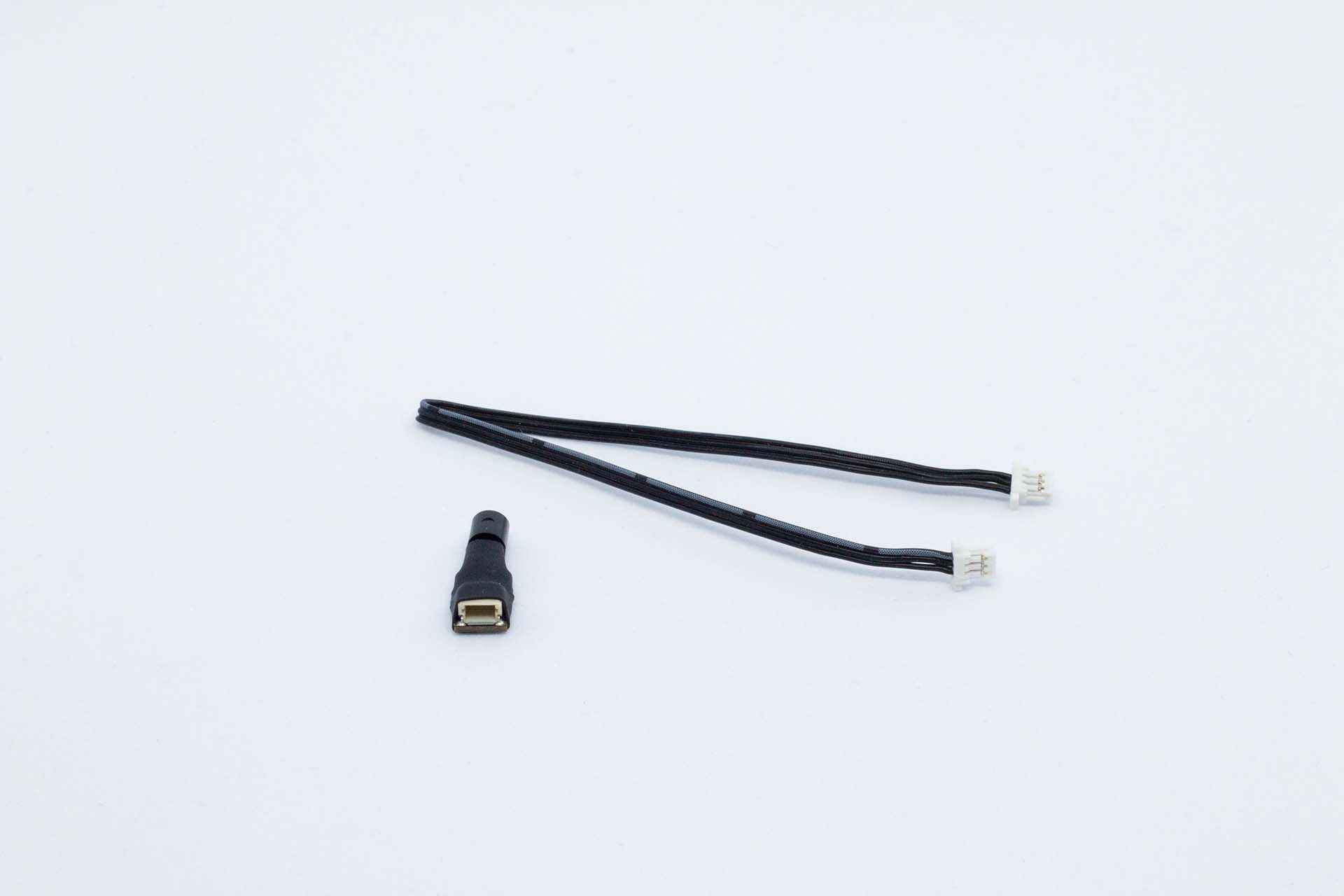
1 x temperature sensor
-
1 x 15cm 3-pin cable
Installation
-
Make sure the flat part of the sensor is touching properly the measured surface.
-
Temperature sensor is the small black cylinder in the end of the sensor
-
Sensor can turned carefully to improve the fit on spherical surfaces like motor
-
Sensor can be attached with CA glue.
-
Connect sensor with 3-pin wire to the main unit. Sensor can be connected to any 3-pin analog port or to 4-pin analog port with a port splitter.
Configuration
Temperature sensor can be installed to any analog input and depending on the used input, please select correct preset value.
Use preset "Temperature sensor" to get correct default values for the input.
Analog input measures voltage between 0 and +3.3V, but the voltage is measured with help of 12-bit ADC which means ADC has 4096 steps in the measurement range and the value between 0 and 4096 is considered as raw value. In other words the reference voltage for analog sensors in Collector is +3.3V and if raw value from ADC measurement is 0, then real voltage is 0V and if raw value is 4096 then it indicates that the measured voltage is 3.3V. All other valuesbetween 0 and +3.3V are linearly divided between the possible raw values.
Parameters
|
Parameter |
Visibility |
Type |
Default value |
Description |
|---|---|---|---|---|
|
Enable |
Basic |
Boolean |
yes |
Parameter is used to enable the sensor for logging. Sensor is enabled if value is yes. |
|
Offset |
Basic |
Integer |
0 |
Offset value is used to define what raw value is considered as zero value for the data channel. For example when input is connected to ground this value should be 0. Please notice! Default value is used as base calibration for voltage measurement. |
|
Gain |
Basic |
Decimal |
0.0008 |
Gain is used to calculate wanted output value from the measured raw value the gain against the reference value. Please notice! Default value is used as base calibration for voltage measurement. |
|
Name |
Advanced |
String |
Temp sensor |
Channel name to be used in the exported data file. Data file will have own channel for all three dimensions and system will add the axis identifier after the channel name |
|
Type |
Advanced |
Option |
Temp sensor |
Type defines the input sensor type. For example temperature sensor has some extra calculation done on the device firmware, so therefore correct type is needed. |
|
Decimals |
Advanced |
Integer |
1 |
Number of decimals in the logged data |
|
Sampling time |
Advanced |
Option |
1s |
Sampling time for the channel. |
|
Filter |
Advanced |
Integer |
1 |
Gives the possibility to filter analog input values. 1 = no filter, 9 = max filter |
|
Unit |
Advanced |
Option |
Temperature (C) |
Select the unit for exported data file. No effect on the calculation. |
|
Size in bytes |
Advanced |
Option |
16bit |
Defines data sample size in raw data. Options are 16bit value and 32bit value |
Calibration
-
Define offset by connecting input to ground and click "Calibrate offset"
-
Define gain by connecting input to the port supply voltage (pin 2) and measure voltage from the pin 2.
-
Measured voltage is the reference. This value should never exceed 3.3V
-
Click "Calibrate gain" after reference value is defined.
Troubleshooting
Measured temparature value is not correct
-
Typically this is due to wrong calibration. The default values should give good enough accuracy for temperature measurement.Default valuesOffset: 0Gain: 0.0008
-
If values are still wrong, then you can try to calibrate the input.