
Description
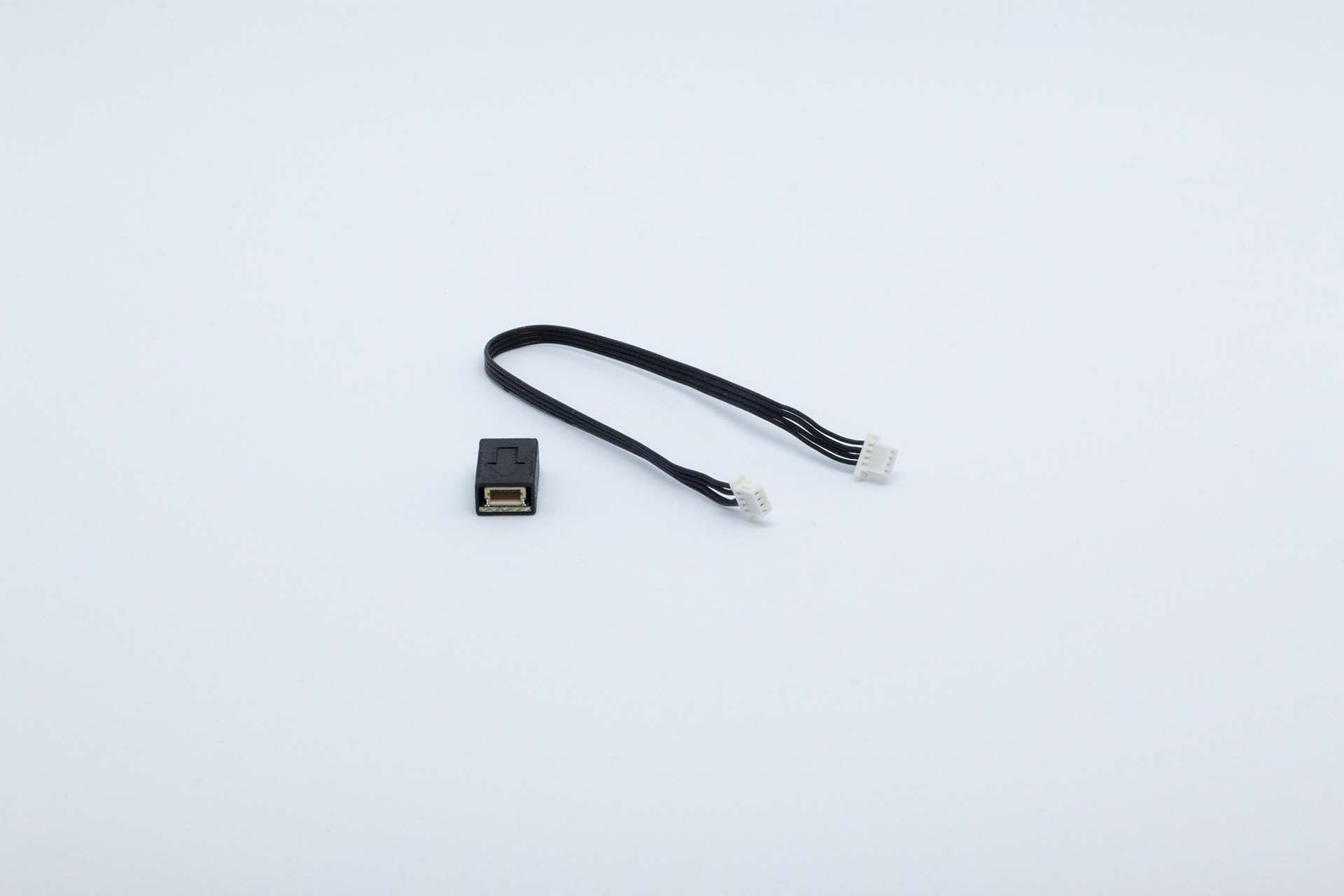
IMU has two sensors included. First one is Accelerometer 1 and second sensor is Gyro 1.
Package content
-
1 x Inertial measurement unit (IMU)
-
1 x 20cm 4-pin cable
Installation
-
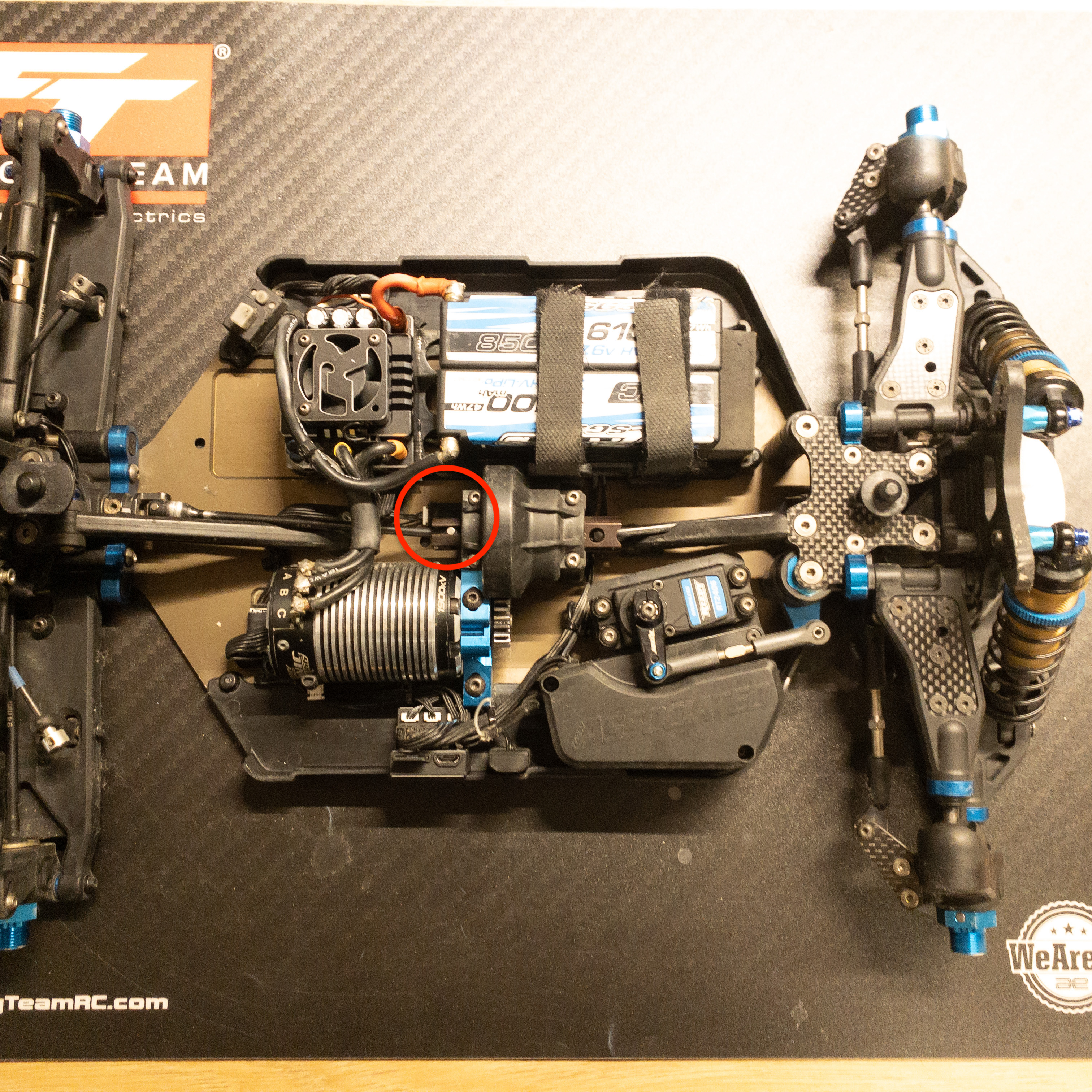
Try place the IMU as close as possible to CoG of the car.
-
Make sure the IMU is aligned straight related to chassis.
-
Arrow in the IMU should point forward and arrow is the top side.
-
IMU can be installed in reverse (arrow pointing backwards) in case it makes it easier to do the wiring. In case it's installed in reverse way, then reverse settings needs to be set 1 in the configuration for both Accelerometer and Gyro
-
Connect IMU to main unit with 4-pin cable. Always connect to port BUS.
Image 2: Example installation with sensor reversed.
Configuration
As the IMU has two sensors in one, then both sensors need to be configured separately.
In normal situation Basic settings should be enough to configure the channel. Use Advanced parameters only if you know what you are doing.
Accelerometer 1 paremeters
|
Parameter |
Visibility |
Type |
Default value |
Description |
|---|---|---|---|---|
|
Enable |
Basic |
Boolean |
yes |
Parameter is used to enable the sensor for logging. Sensor is enabled if value is yes. |
|
Inverted |
Basic |
Boolean |
no |
This is used to invert the x-axis and y-axis values in case sensor is installed arrow point rear of the car. |
|
Name |
Advanced |
String |
Accelerometer |
Channel name to be used in the exported data file. Data file will have own channel for all three dimensions and system will add the axis identifier after the channel name |
|
Type |
Advanced |
Option |
BMI088 Acc High |
Change the sensor type. |
|
Decimals |
Advanced |
Integer |
3 |
Number of decimals in the logged data |
|
Sampling time |
Advanced |
Option |
10ms |
Sampling time for the channel |
|
Filter |
Advanced |
Integer |
1 |
Gives the possibility to filter accelerometer values. 1 = no filter, 9 = max filter |
|
Unit |
Advanced |
Option |
G Force (G) |
Select the unit for exported data file. No effect on the calculation. |
|
Size in bytes |
Advanced |
Option |
16bit |
Defines data sample size in raw data. Options are 16bit value and 32bit value |
Gyro 1 parameters
|
Parameter |
Visibility |
Type |
Default value |
Description |
|---|---|---|---|---|
|
Enable |
Basic |
Boolean |
yes |
Parameter is used to enable the sensor for logging. Sensor is enabled if value is yes. |
|
Inverted |
Basic |
Boolean |
no |
This is used to invert the x-axis and y-axis values in case sensor is installed arrow point rear of the car. |
|
Name |
Advanced |
String |
Gyro |
Channel name to be used in the exported data file. Data file will have own channel for all three dimensions and system will add the axis identifier after the channel name |
|
Type |
Advanced |
Option |
BMI088 Gyro High |
Change the sensor type. |
|
Decimals |
Advanced |
Integer |
1 |
Number of decimals in the logged data |
|
Sampling time |
Advanced |
Option |
10ms |
Sampling time for the channel |
|
Filter |
Advanced |
Integer |
1 |
Gives the possibility to filter accelerometer values. 1 = no filter, 9 = max filter |
|
Unit |
Advanced |
Option |
Angular velocity (deg/s) |
Select the unit for exported data file. No effect on the calculation. |
|
Size in bytes |
Advanced |
Option |
16bit |
Defines data sample size in raw data. Options are 16bit value and 32bit value |
Troubleshooting
N/A