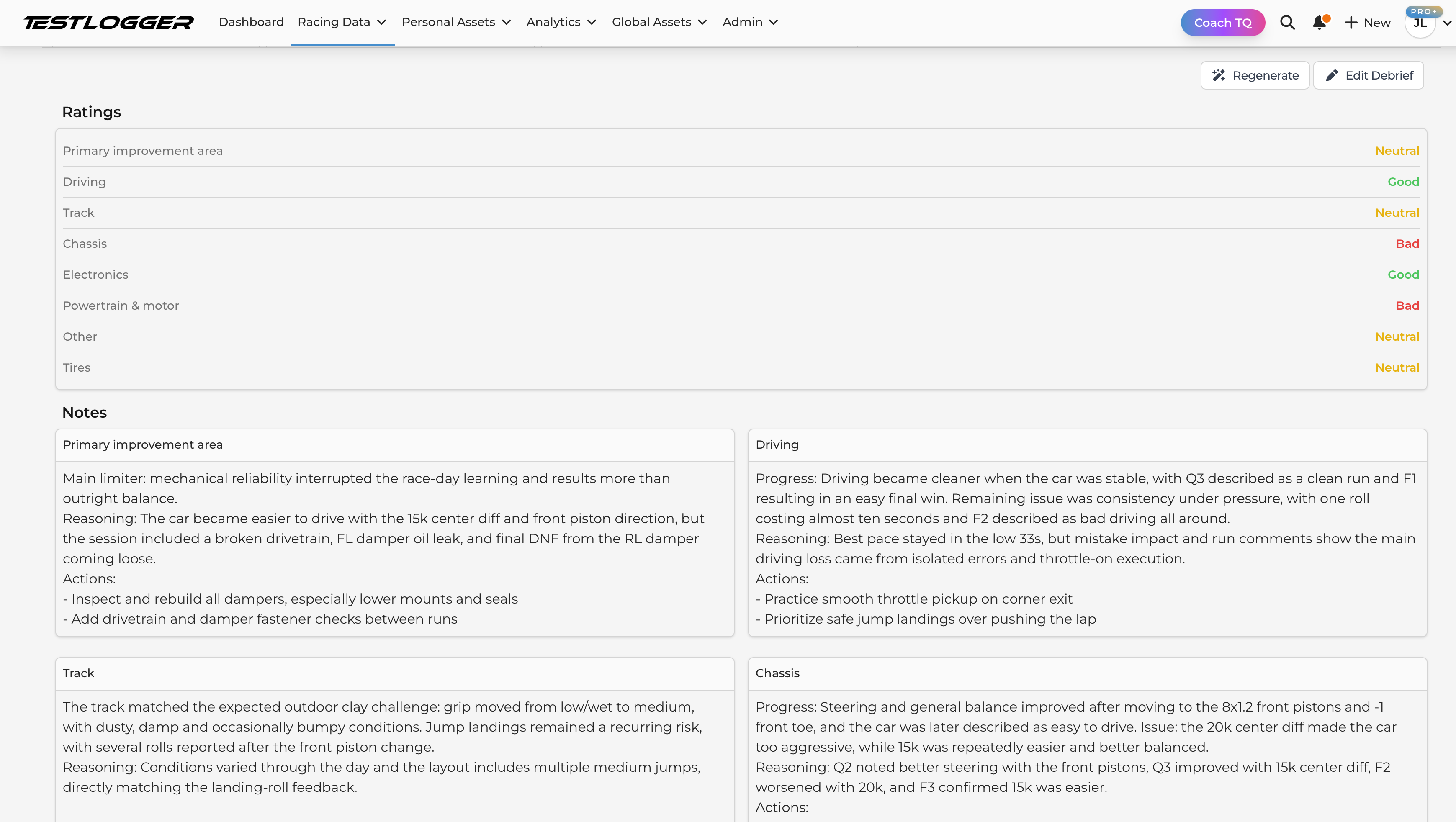
Test day example
Summary
Process includes three phases which are preparation, data input and understanding what happened.
Preparation
Everything starts with preparation and purpose of this phase is to do it on the day before you go to the track or when you are preparing the car for test day. We are also assuming that your base is set up in TL Manager including car and track.
Typical activities for preparation includes
- Create session
- Create setup
- Prepare tires for the test day and mark IDs
- Create test plan, what you are focusing on
- Create first run where you make sure your basics are right like setup, tires
Session
Create session with correct name and dates. Depending of your way of working, you might want to create session per or create one session for the whole season.
Setup
While you prepare your car for the test day, at the same time write your setup to Manager. When you create your first setup, reserve some time for it. It makes your life so much more easier when don’t need to fix mistakes along test day but you can focus on right things.
Info
If the setup sheet needs modifications, please make requests on Discord server or send email to info@testlogger.com
Tires
Tires are always important but depending on category, the usage varies. For example in off road in tires are reused many times so it makes sense to mark the IDs to wheels and in some classes you use the tires once, so find your preferred method how to use the tires. Either create one set per tire model or create tires for each physical set you have.
Track activities
These actions happens when you are at the track and working with the car. Typically everyone wants to maximize the track time and data input is not the priority. Therefore it is important to find your own routine and prepare as much as possible.
Data input
- Create run
- Create new setup revision if it was changed
- After run, write comments, import laps, conditions, check correct setup
Conditions
Mark the conditions for the first run properly because those are copied across runs.
Making changes
If you are testing, then you typically want to change something for next run. It can be setup change or things you want to try with driving style. In any case in testing you typically you want to try changes unless you are just gathering laps.
If you are doing setup changes, you probably already have your own process how you decide the changes. For example after the run you very likely analyze what happened in the run, use your knowledge to decide what to change and then make the actual change to the car. Our recommendation is to make new setup revision at the time you decide what you are going to change so you have it fresh in the memory. When you create your next run, Manager selects the latest setup for the run automatically so you don’t need to remember to change it separately.
Import lap times
Lap times is one of the key data elements for you to utilize. Import laps the method you feel most comfortable with.
Write your comments
Your own comments is one the most valuable asset you have. Learn how to observe the car and your driving. If it’s a test, don’t drive 100% but maybe with 90% or 95% pace. In the comments, start what is the biggest area for improvement. When describing the car behaviour, try to precise e.g. if understeering happens in the entry or exit, how severe the issue is, etc.
Understanding what happened
Do this after you are back home or when you have 15 to 30 minutes to focus. The purpose of this part is to make deeper understanding what were the results from the test day and what ideas it generates for the next test or race.
Debrief document is designed just for this purpose where you can collect the key items from the session. Debrief document has predefined categories which force you to think about each main category related to racing. You don’t have to fill all fields, but go through all and list the key topics. This will help your brain to organize the findings and also when you prepare your next session, you have base to use for the plan.
Tip
Manager Pro users can generate the debrief with AI.